Blood Lab Controls
Master movement, lean, carry, reload, and fire modes before friendly fire ends your run.
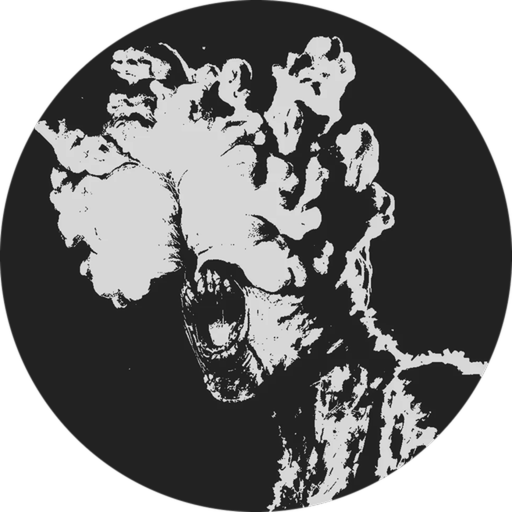
BloodLab Testing punishes sloppy input. Friendly fire is always on, servers cap at four players, and nothing regenerates your health for free — so every lean, crouch, and reload has to be intentional. This page is the full controls reference for Blood Lab (BloodLab Testing by GetRich Studios), with combat habits that pair with survival basics, how to heal, and the weapons guide. New players should start from getting started first, then return here until the binds are automatic.
Full controls table (PC)
| Action | Default binding | Notes |
|---|---|---|
| Move | WASD | Strafe while aiming; never stand still in a doorway |
| Lean left / right | Hold Q / Hold E | Hold to peek; tap Q also drops a carried body |
| Crouch | C | Smaller profile, slower, better for holds |
| Sprint | Shift | Loud and wide — use between covers, not into unknown rooms |
| Carry body / object | G | Clear the path before you drag |
| Drop carried body | Tap Q | Distinct from hold-Q lean — practice both |
| Reload | R | Reload behind cover before every push |
| Fire mode toggle | V | Cycle precision vs volume fire on supported guns |
| Aim / shoot | Mouse aim + fire | Keep the reticle off teammates at all times |
Bindings can vary slightly with Roblox client settings or custom key maps. If something feels wrong after an update, re-check in-experience prompts and rebind in Roblox settings rather than guessing mid-fight.
Movement fundamentals: WASD + Shift
Treat movement as positioning, not parkour. Strafe with A/D while holding an angle so you are harder to track and so you can break line of sight without turning your back on the threat. Use W to commit only when a teammate has a supporting angle; sprinting (Shift) through an uncleared doorway is how you eat the first infected and then panic-fire into a friend who followed you.
Sprint between pieces of cover when the room is already clear. Inside contested space, walk or crouch-walk so you can hear, lean, and stop without overshooting. In a 4-player server, one player sprinting ahead creates two problems: they pull aggro alone, and the trailing three stack into the same choke with overlapping cones of fire.
Lean (hold Q / E): peek without giving your whole body
Hold Q leans left; hold E leans right. Leaning exposes a slice of your hitbox and your muzzle instead of your full torso. Use it to:
- Check a hallway corner before committing WASD into it.
- Slice a doorway from the hinge side while a teammate watches the deep angle.
- Take a single precision shot on semi-auto, then return to cover.
Call the lean. In voice or chat, “leaning left stair” stops a teammate from walking into your bullet path. Because friendly fire never turns off, a silent lean into a shared lane is one of the most common team-wipe patterns in BloodLab Testing.
Important: tap Q drops a carried body, while hold Q leans. Practice the difference in a quiet spawn so you do not drop a corpse mid-extract or fail to lean when you meant to peek.
Crouch (C) and hold angles
C crouches you into a tighter profile. Crouch when you are the designated holder on a door, window, or stair landing. Pair crouch with lean for the smallest possible peek. Do not crouch-sprint culture into every fight — crouch is for stable aim and reduced exposure, not for racing loot.
When an infected closes distance, decide early: either backpedal while firing controlled bursts, or commit to a crouch-hold if a teammate can cut the flank. Standing and spinning in place with full-auto is how friendly fire and empty mags happen together.
Carry (G) and drop (tap Q)
G picks up a body or carryable object. Dragging matters when you need to clear a lane, move a downed teammate’s position for a safer revive/loot, or reposition clutter that blocks a lean. Before you carry:
- Call “carrying” so nobody shoots the moving silhouette.
- Check that your muzzle and your teammates’ muzzles have clear lanes.
- Plan the drop spot behind cover.
Tap Q drops. Drop before you need both hands for a reload or a precise lean. Carrying through a gunfight with no bandage plan is a good way to die holding loot you never used — see how to heal for triage priorities after messy fights.
Reload (R) and fire mode (V)
R reloads. Make it a ritual: after every engagement, before every doorway, and whenever you swap from Glock to AR or back. There is no passive heal, so a dry gun in the open is often a death sentence even if the last fight “went well.”
V cycles fire modes on weapons that support it. Use semi or burst when teammates are near your angle or when you need ammo discipline. Use fuller auto only when you have a clear lane, distance, and a reason to spend the magazine. The weapons guide goes deeper on Glock 17 + AR habits and Gamepass guns; the tier list compares options once you have them.
Combat tips that depend on controls
- Pre-aim then lean, do not sprint-aim into unknowns.
- One peeker, one support. Two people leaning the same pixel invites overlapping friendly fire.
- Reload on the drop. If you must relocate, drop a carried body (tap Q), reload (R), then move.
- Fire-mode before the push. Tap V while still in cover so the first shot of the fight matches the plan.
- Low HP? Controls shrink. Crouch, lean less aggressively, and play for a bandage instead of hero peeks.
Mobile and limited-input notes
BloodLab Testing and especially The Last Of Blox features (vehicles on PC only, voice-heavy raids) favor keyboard and mouse. On mobile or gamepad you may lack clean lean/hold distinctions, precise fire-mode toggles, or comfortable carry/drop timing. Practical advice:
- Prefer short private sessions to learn which on-screen buttons map to lean, crouch, and reload.
- Avoid being the primary entry peeker if your lean is unreliable — hold rear angles instead.
- Rely on chat callouts even more than PC stacks do.
- For The Last Of Blox exploration with vehicles and dense raids, switch to PC when you can.
Practice routine (five minutes)
- Spawn in a low-pressure area from getting started habits.
- Hold Q / E peeks on a doorway ten times without firing.
- Crouch-hold, stand, sprint to next cover, crouch again.
- Pick up with G, walk five steps, tap Q to drop, then R reload.
- Tap V through fire modes, then fire a controlled Glock string into a safe wall or clear lane.
When that loop is boring, you are ready for real pressure in survival basics. Keep codes and players bookmarked for redeemables and community callout norms, and play the live place at BloodLab Testing.
Frequently Asked Questions
Quick answers for Blood Lab survivors.
What are the main Blood Lab keybinds?
WASD move, hold Q/E lean, C crouch, Shift sprint, G carry, tap Q drop body, R reload, and V fire mode. Always verify after patches in case Roblox or experience defaults change.
Why does Q both lean and drop?
Hold Q leans left; tap Q drops a carried body. Practice the hold versus tap distinction in a safe spawn so you do not drop loot or fail a peek under pressure.
Should I play Blood Lab on mobile?
You can learn basics on mobile, but precise lean, fire-mode, and carry timing are easier on PC. The Last Of Blox vehicles are PC-only, so serious sessions are better on keyboard and mouse.
When should I change fire mode with V?
Switch in cover before a push. Use semi or short bursts near teammates or when saving ammo; use higher volume fire only with a clear lane and a plan to reload immediately after.
How do controls relate to friendly fire?
Leaning, crouching, and calling peeks reduce accidental team shots. Sprint-pushing shared doorways with full-auto is the fastest way to wipe a 4-player server.